Same Wi-Fi
Put your Android phone and speaker on the same local network. Bridge discovers compatible AirPlay receivers automatically.
Made for Android phones in Apple homes. Bring your music and podcasts to HomePod and compatible AirPlay speakers over Wi-Fi. Save your favorite room, reconnect from your widget and keep controls close at hand.
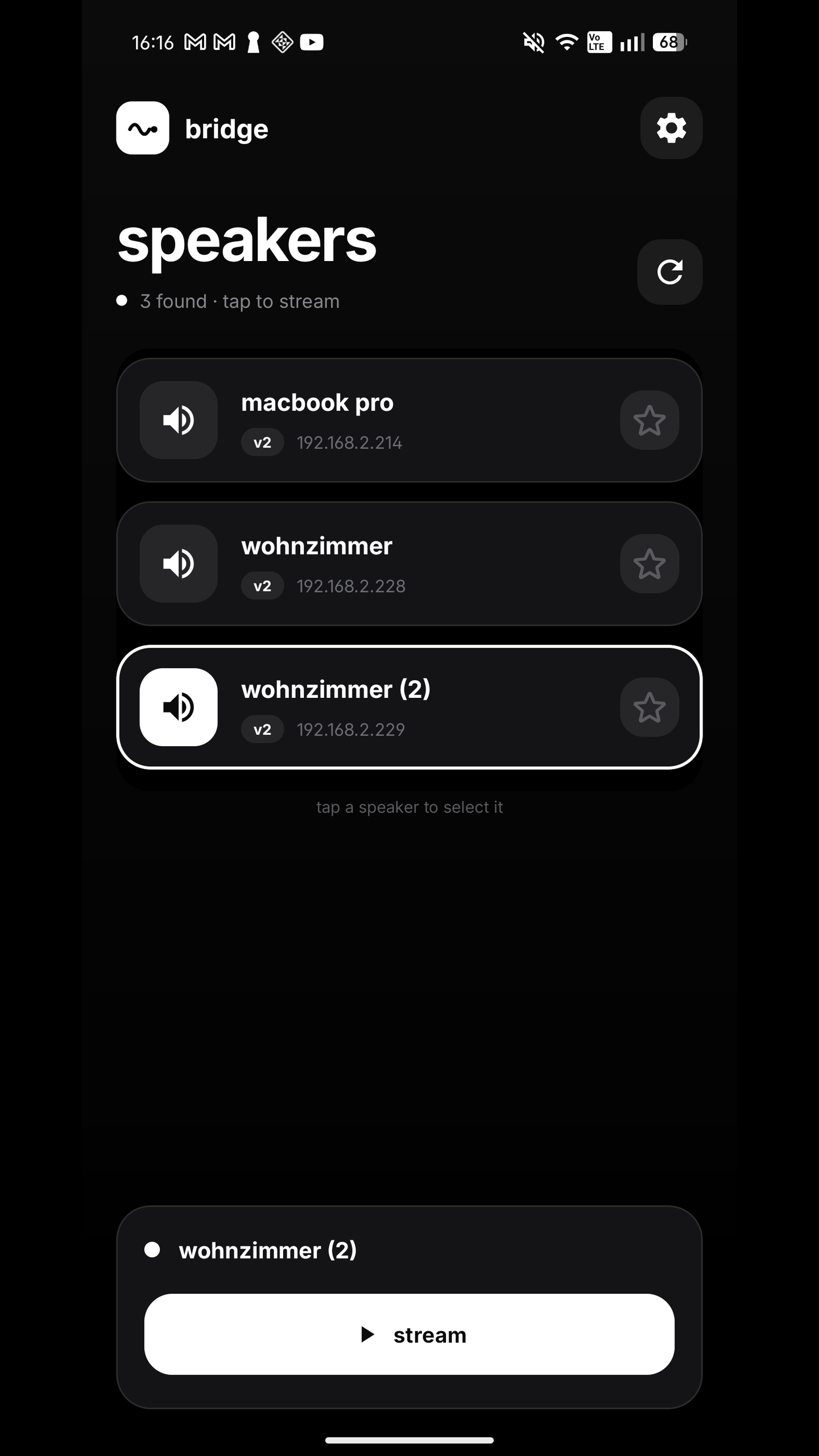
Actual Bridge Audio app
how it works
Put your Android phone and speaker on the same local network. Bridge discovers compatible AirPlay receivers automatically.
Choose your room from Bridge’s speaker list. Save it as a favorite to reconnect quickly next time.
Approve Android’s playback-audio prompt and press play in your music app. Start with a free 3-minute stream; unlock unlimited listening once.
why bridge
Bring your music, podcasts and browser audio to the room. Keep using your favorite player while Bridge handles the speaker connection.
Find nearby AirPlay speakers and see room details in one place. Select your speaker and make it your favorite.
Keep your favorite speaker one tap away from the home screen when you want to return to the last room fast.
Manage your stream from Android notifications. Adjust speaker volume with your phone’s volume buttons while Bridge is open.
Your audio stays on your local Wi-Fi, from your phone to your speaker. Start listening without creating a Bridge account.
Keep the Android phone you love and the Apple speakers you chose. Set a default room and auto-connect when you open Bridge.
inside bridge audio
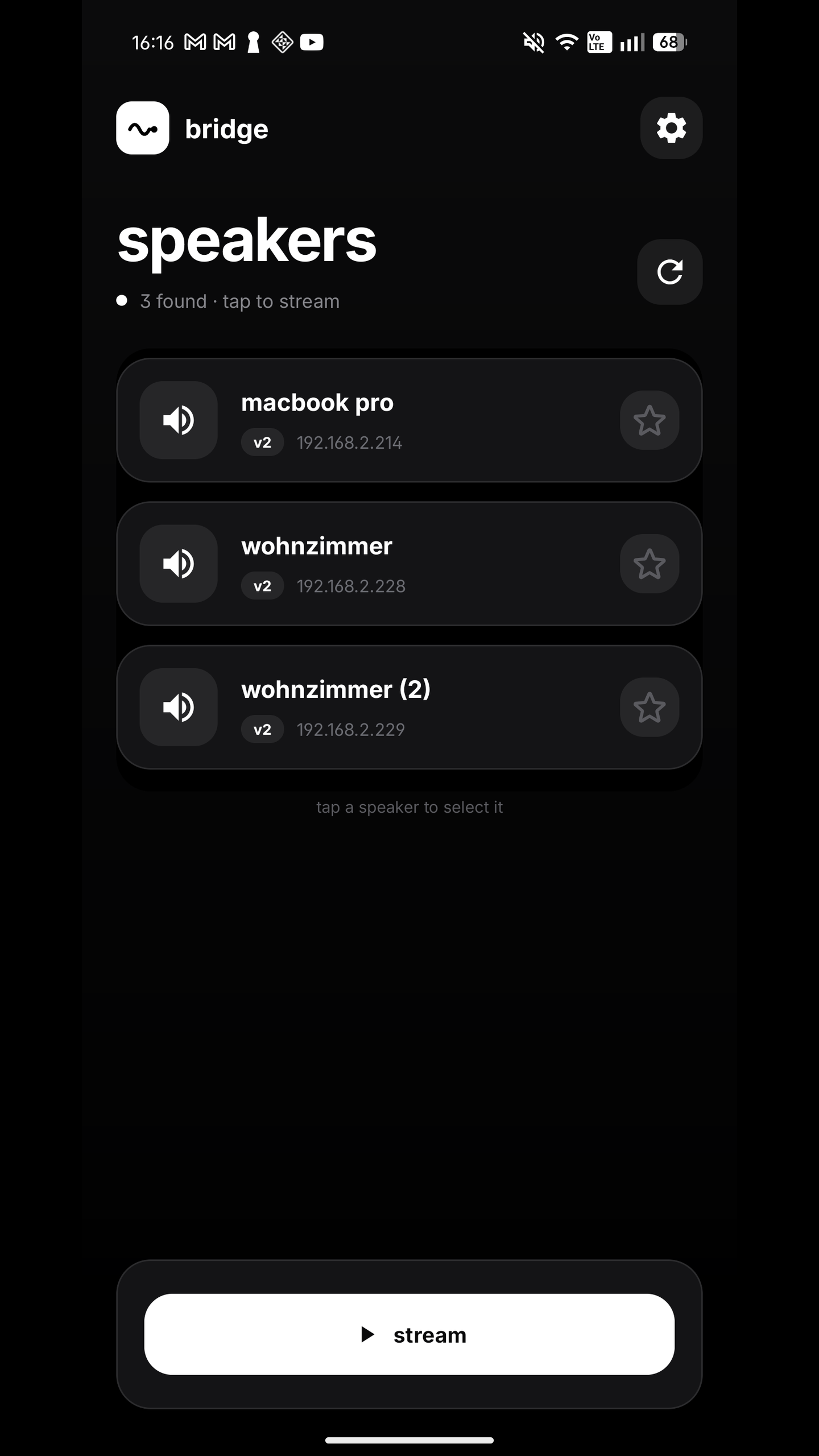
Discover, connect and keep your favorite room one tap away. Explore the real app.
Connect your Android phone and speaker to the same Wi-Fi. Open Bridge Audio to see the receivers available on your network.
Free 3-minute stream. Unlimited listening unlocks once. No subscription.
Choose the question that matches your setup.
Bridge uses Android’s capture permission to route allowed audio to your speaker. It does not mirror your screen to the speaker. Bridge captures audio only, without recording or sending video. Your audio travels over your local Wi-Fi.
Start with a free 3-minute stream. Unlock unlimited listening once. No subscription.
guides
A practical guide for Android users considering an iPhone in 2026, including the small everyday Android habits that may be harder to give up.
8 min readBring Android music to HomePod with Bridge Audio. Connect over Wi-Fi, save your favorite room and reconnect from your widget. Start with a free 3-minute stream.
8 min readA practical list of Apple products and habits that still make sense if your phone is Android, plus where the ecosystem friction appears.
answers
Play Android music on HomePod with Bridge Audio. Save your room, reconnect from a widget and control your stream. Try 3 minutes free; unlock once.
AirPlay from AndroidStream Android music to HomePod and compatible AirPlay speakers with Bridge Audio. Local Wi-Fi, favorite speakers and widget reconnect. Start streaming free.
Spotify to HomePodBring permitted Spotify playback from Android to HomePod with Bridge Audio. Keep your playlists, save your room and reconnect from the widget. Try a free stream.
HomePod BluetoothHomePod uses Wi-Fi for music, rather than Android Bluetooth pairing. Connect with Bridge Audio, save your room and reconnect from your widget. Free 3-minute stream.
Android to AirPlay speakerSend Android music and podcasts to compatible AirPlay speakers with Bridge Audio. Favorite rooms, widget reconnect and notification controls. Free 3-minute stream.
faq
Download free and try 3 minutes of captured playback. Silent captured audio does not use trial time. The built-in speaker test plays a free test sound even after the trial ends, so you can check your speaker before unlocking. Unlimited listening is a one-time in-app purchase, with no subscription.
Yes. Bridge Audio streams Android playback audio to compatible HomePod and AirPlay speaker targets on your local Wi-Fi network.
No. HomePod is not a normal Bluetooth speaker for playback. Bridge uses local network AirPlay-style streaming.
Any app that Android allows through playback capture, including music, video, podcast and browser apps.
No Apple Music subscription is needed. Bridge streams allowed phone audio. A HomePod must already be configured; Apple requires an iPhone or iPad for its initial setup.
Connect your phone and speaker to the same Wi-Fi. Bridge streams locally, whether you are listening at home or on another shared network.
Some rooms expose more than one AirPlay target, especially when a HomePod is paired with Apple TV. Bridge shows speaker details so you can pick the endpoint you want.

Your favorite room, one tap away. Free 3-minute stream. One-time unlock. No subscription.
▶Get it onGoogle Play